
EO — Engineering Orchestrator
EO is an open-source desktop app for building your own pipelines and running work through them. You tell the assistant what you want, it drafts the pipeline, and you publish it; you change it the same way, at any time. A step can be an agent (Claude Code or Codex), a person, EO itself, or your own script: a module a person approved.
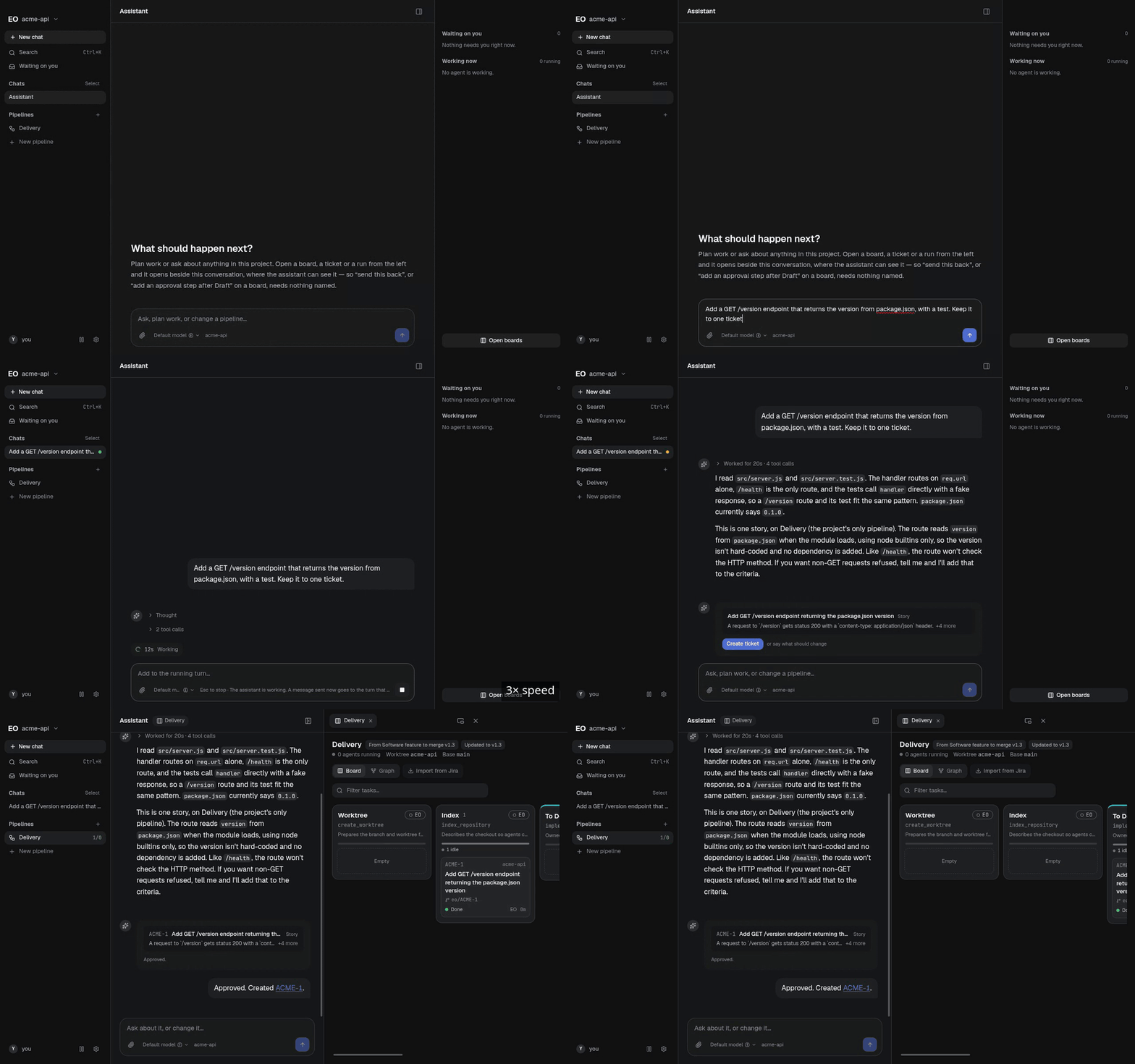
/version endpoint in plain words: the assistant reads the repository, drafts one ticket, and the board opens once it is accepted.What it does
-
You build and change your own pipelines through the assistant.
Describe the pipeline you want, or the change you want to one you have, and the assistant drafts it as a graph on a card. Nothing changes until you press Publish, and you change it the same way at any time. Publishing writes a new version; items already in flight finish on the version they entered on. EO has no pipeline editor: the Graph view is read-only.
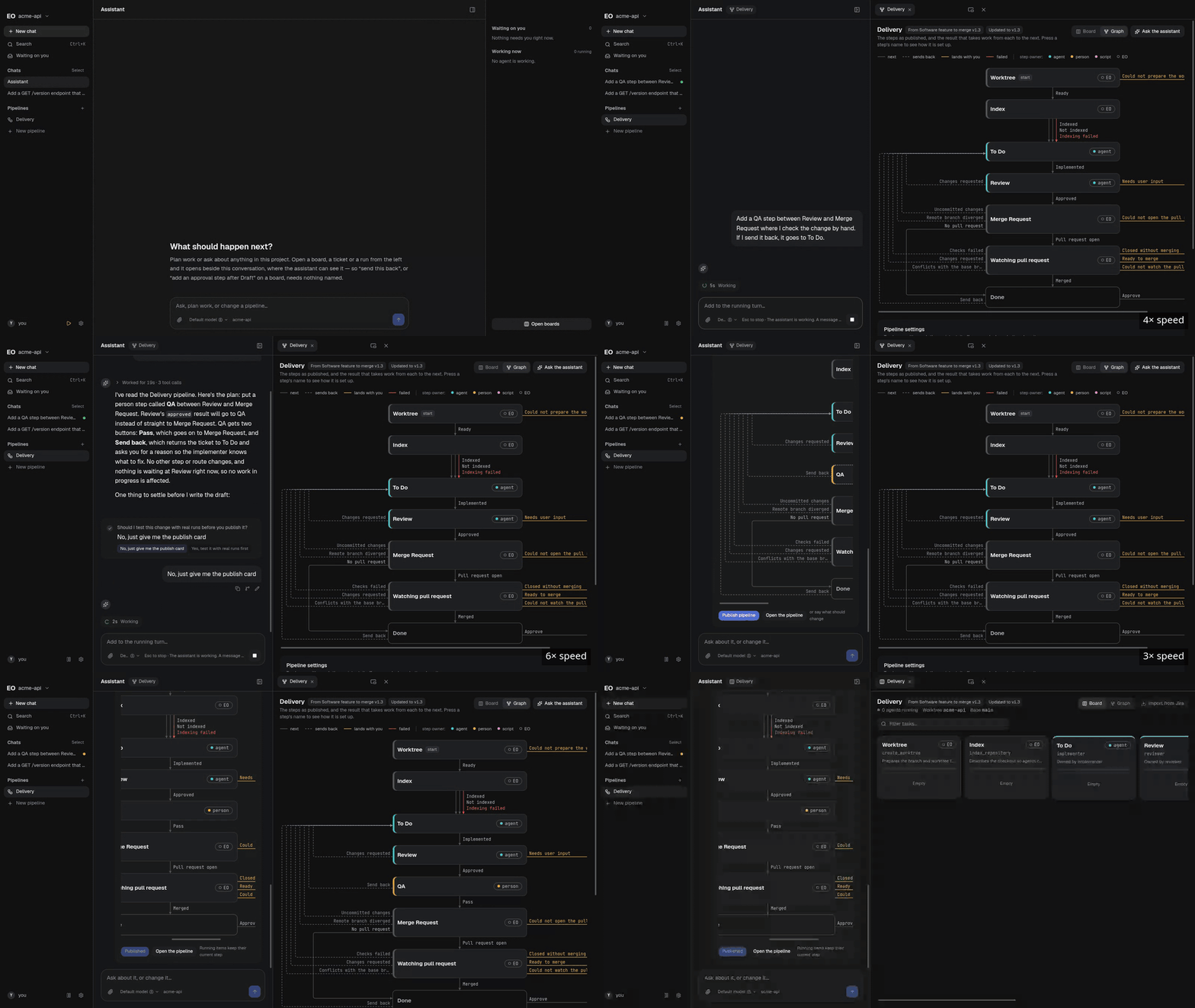
A hand-checked QA step asked for in plain words, drafted with QA marked new, and published. -
A step is one of four kinds: an agent, a person, EO itself, or your own script.
An agent is Claude Code or Codex, signed in with your own account. A person sees the step's results as buttons, such as "Approve". EO itself runs a builtin, such as cutting a git worktree, watching a pull request or waiting until a date. Your own script is a module, JavaScript with a manifest of what it needs, and it cannot run on live work until a person approves it after its tests pass.
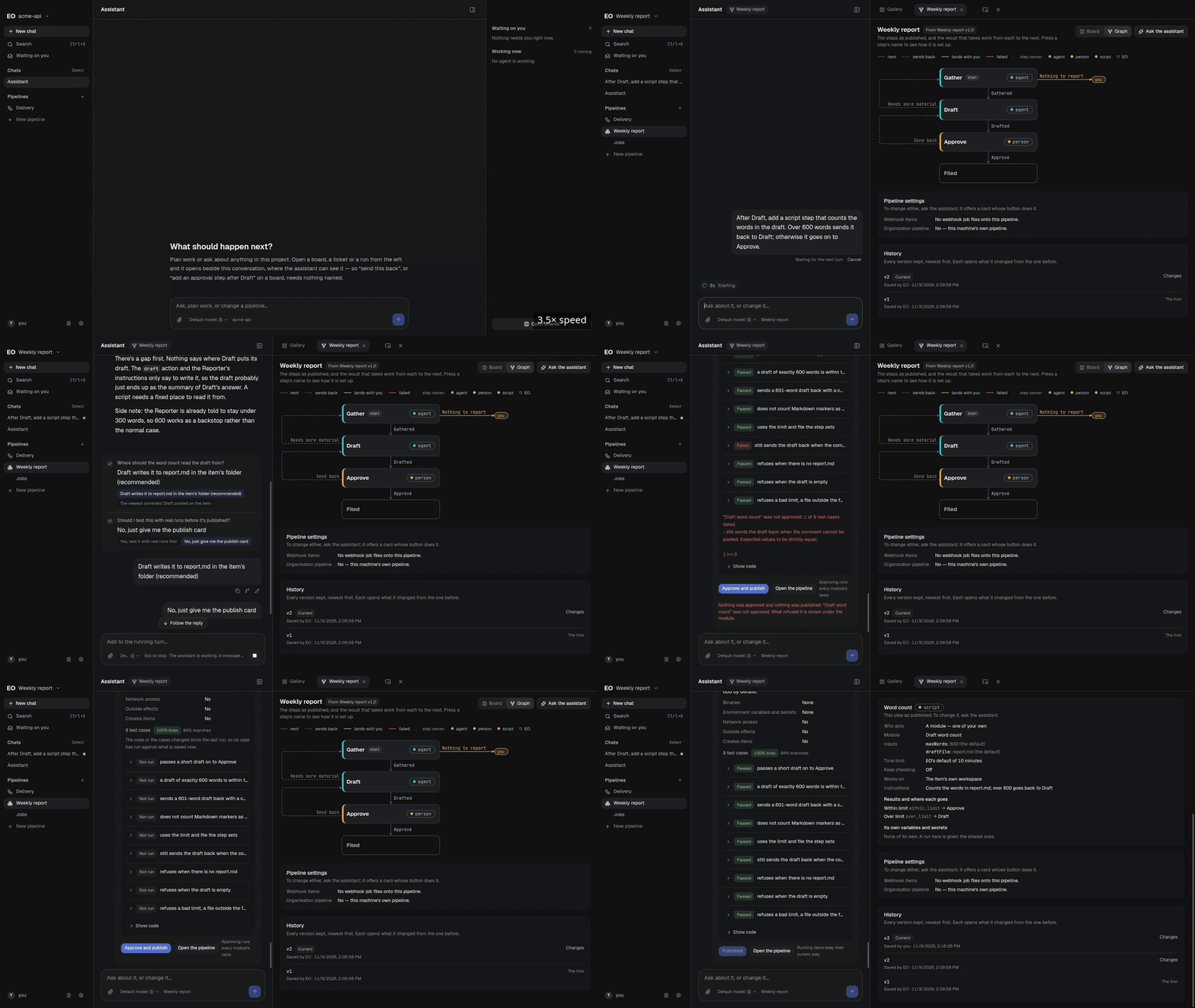
A word-count script step added to Weekly report. One of its nine tests fails on the first approval, so nothing is published until the fixed module passes. -
Software delivery is one template among several.
In Software feature to merge each ticket is worked in its own git worktree, and the engine checks the implementer's claims itself (commits exist, the tree is clean, the tests ran) before a reviewer sees the work. Other templates cover a weekly report, an inbox triage and a content draft.
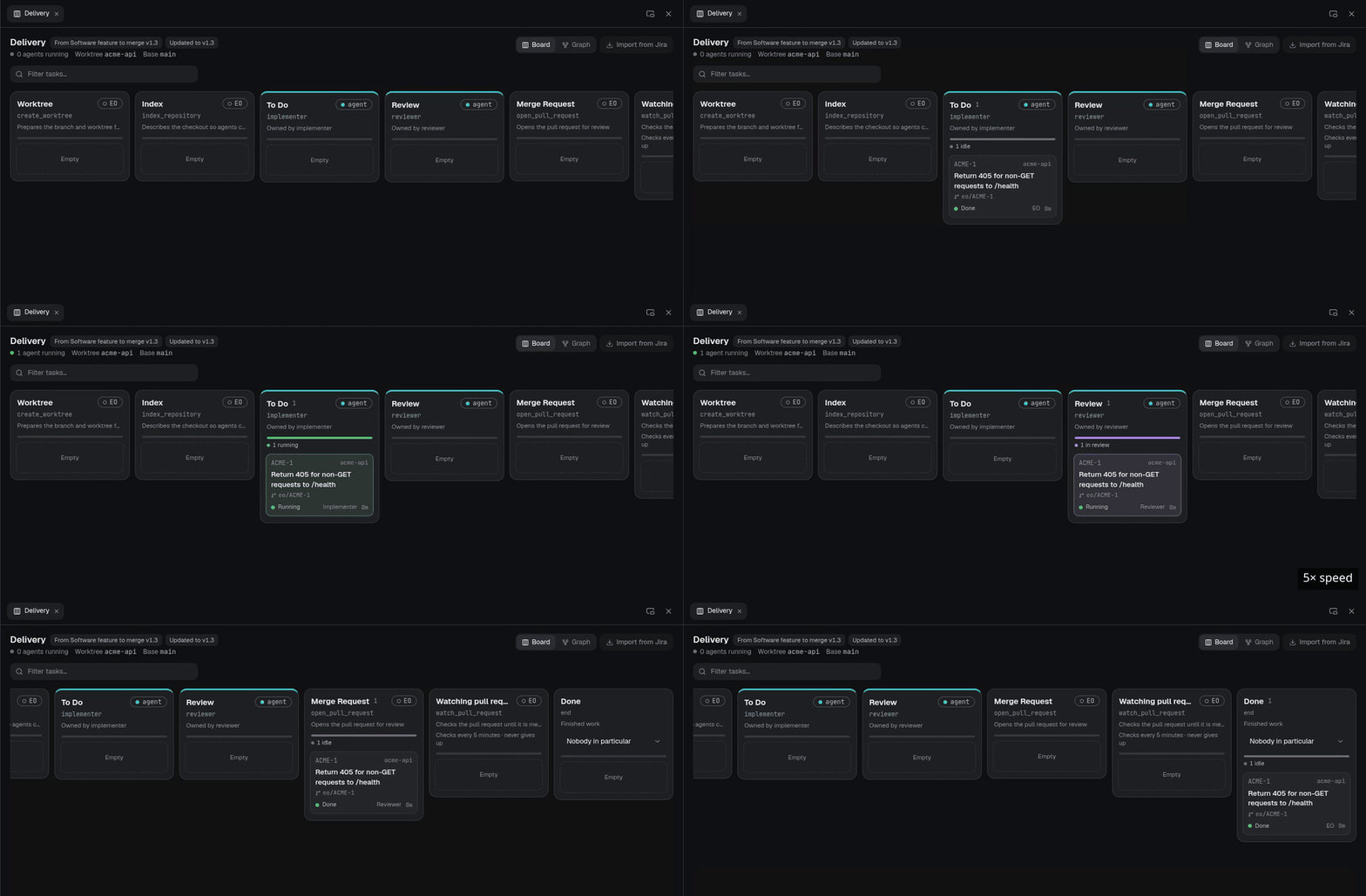
One ticket from Worktree to Done. The agent stretches are sped up.
It runs on your machine
Nothing needs a server. When an agent gets stuck it comments on the item and mentions you, which ends its run rather than leaving a process waiting.
Download
Every release on GitHub Releases attaches installers for Windows, macOS and Linux. They are not code-signed, so Windows and macOS warn you before the first run; the README says how to get past each warning. On Windows and Linux an installed EO checks for new releases and installs one when you ask; macOS has no automatic updates, so you download the new release by hand.
EO is free and open source under the Apache License 2.0. The agents' usage is billed by Anthropic or OpenAI to the account you sign in with.
Read more
- README: installing, running and first steps.
- FAQ: the questions people ask about EO.
- ARCHITECTURE.md: the design, and why it is shaped the way it is.
- The repository and its Releases.